> ## Documentation Index
> Fetch the complete documentation index at: https://helpdesk.quso.ai/llms.txt
> Use this file to discover all available pages before exploring further.
# Change Video Zoom
Need to zoom in or out on a video to adjust the focus or framing? Quso.ai makes it easy to **zoom into specific parts of your video** directly from the editor, without needing any advanced tools.
This guide shows you how to adjust the zoom level of a video clip inside the frame, perfect for highlighting important details, cropping out distractions, or fitting your content to different aspect ratios.
***
## 🔍 Steps to Change Video Zoom
### **Step 1: Open Your Project in the Editor**
* Navigate to your project and click **“Edit”** on the video clip you want to zoom.
 ### **Step 2: Click on the Video in the Frame**
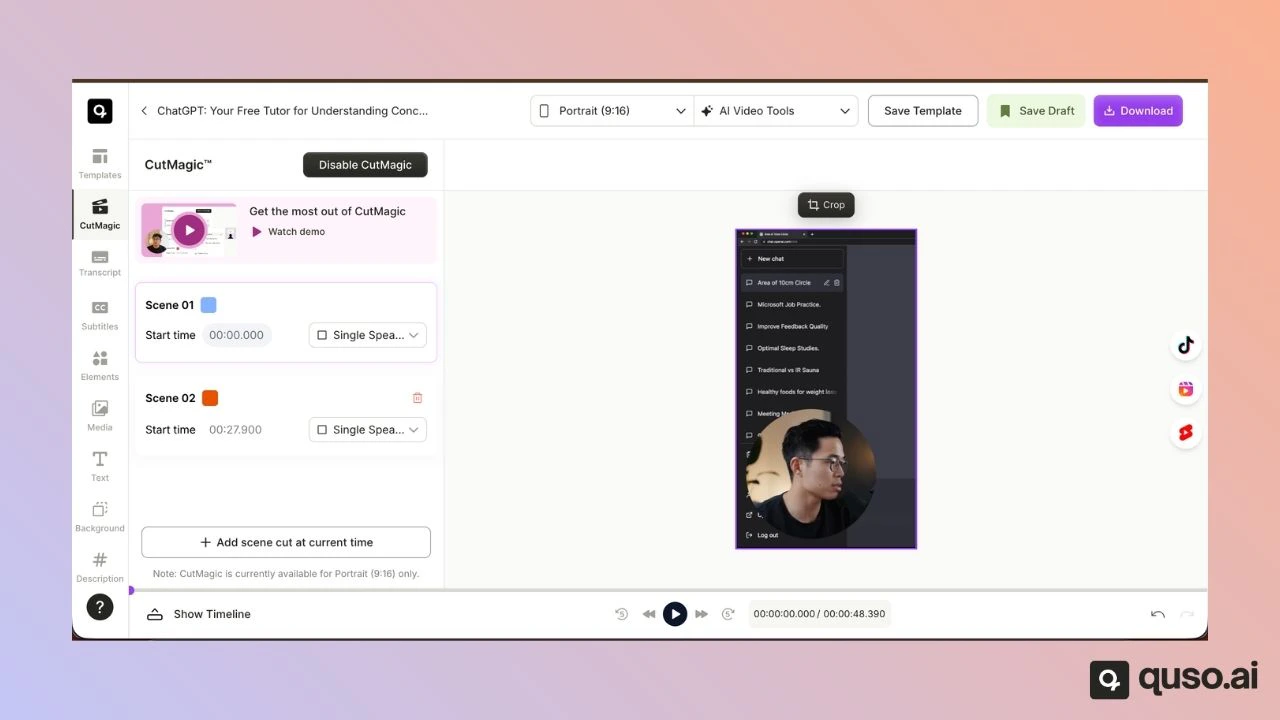
* Inside the preview area, click on the **video layer** and click on Crop.
### **Step 2: Click on the Video in the Frame**
* Inside the preview area, click on the **video layer** and click on Crop.
 ### **Step 3: Resize the Video to Zoom In/Out**
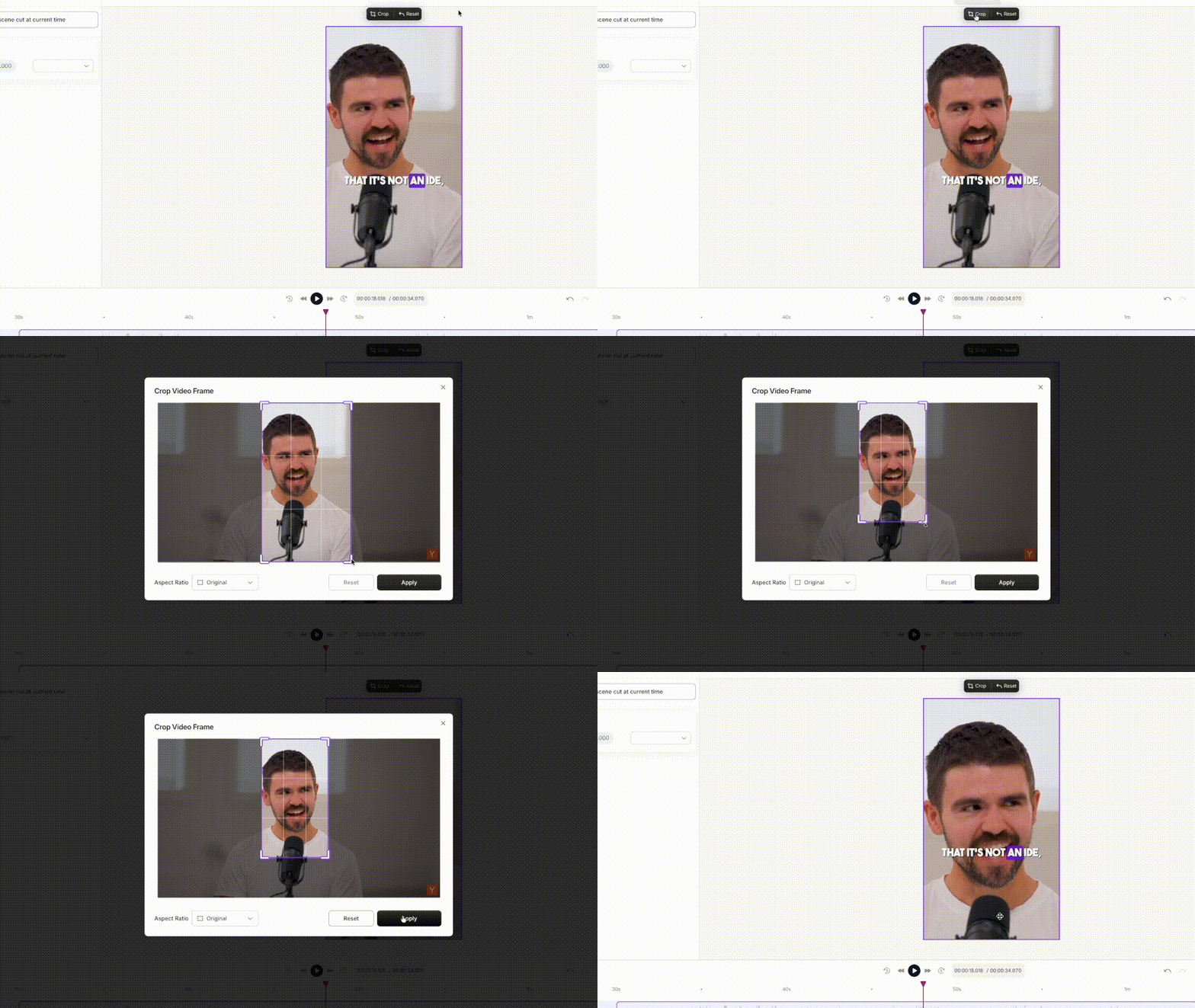
* To **zoom in**: Drag the corners of the bounding box **inward** to make the video larger within the frame.
* To **zoom out**: Drag the corners **outward** to reduce the video’s size.
⚠️ Note: This method zooms the video by **scaling** it visually — it does not affect video playback or resolution.
### **Step 3: Resize the Video to Zoom In/Out**
* To **zoom in**: Drag the corners of the bounding box **inward** to make the video larger within the frame.
* To **zoom out**: Drag the corners **outward** to reduce the video’s size.
⚠️ Note: This method zooms the video by **scaling** it visually — it does not affect video playback or resolution.
 ***
## ✅ All Set!
Now you know how to zoom in or out of your video clips visually within the editor. It’s a simple yet powerful way to control how your content appears in the final video.
***
## ✅ All Set!
Now you know how to zoom in or out of your video clips visually within the editor. It’s a simple yet powerful way to control how your content appears in the final video.