You can post content to your social media pages directly from Quso.ai; no need to upload videos to your Quso media library first. Hereโ€™s how:

โœ… Step 1: Navigate to the Posts Page

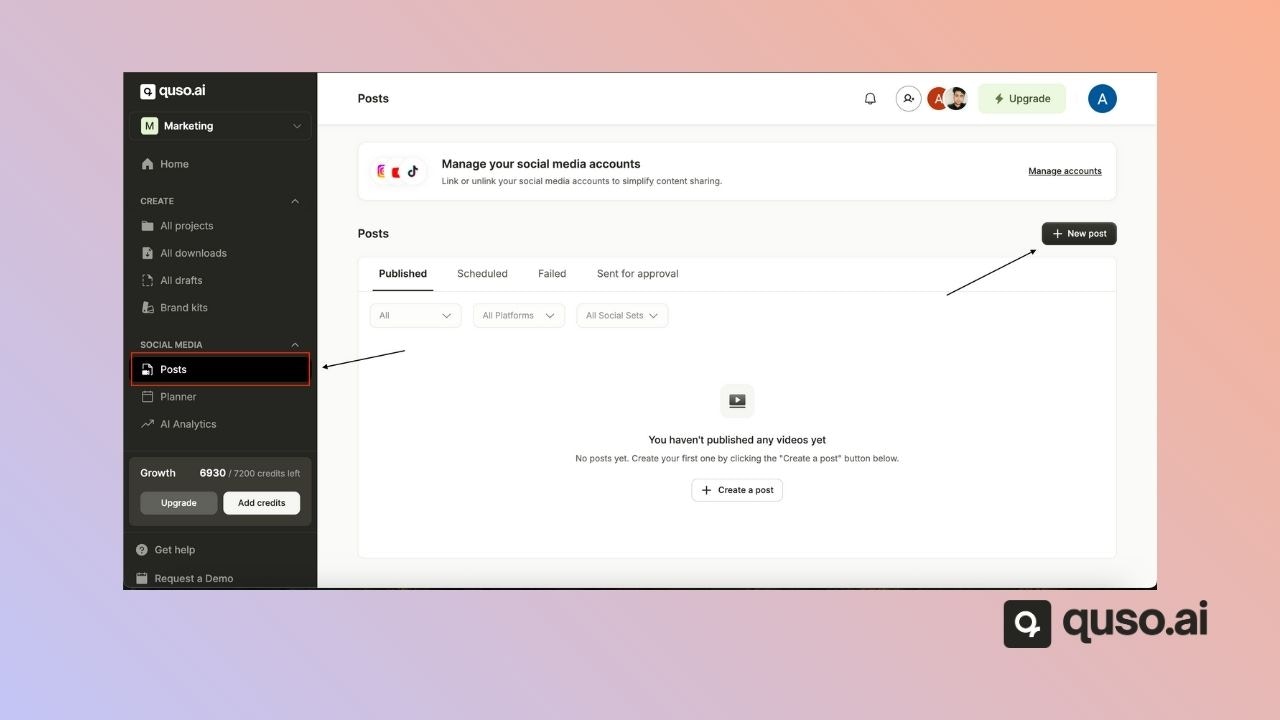
From the sidebar, go to Social Media โ†’ Posts.

โž• Step 2: Create a New Post

Click the โ€œNew Postโ€ button to start creating your content. Publish External Content Jp

๐Ÿ“ Step 3: Upload Media

A pop-up window will appear where you can select the images or videos you want to publish. To upload multiple files at once, hold down the Shift key (or Ctrl/Command key) while selecting your files. Publish External Content Select Media Jp
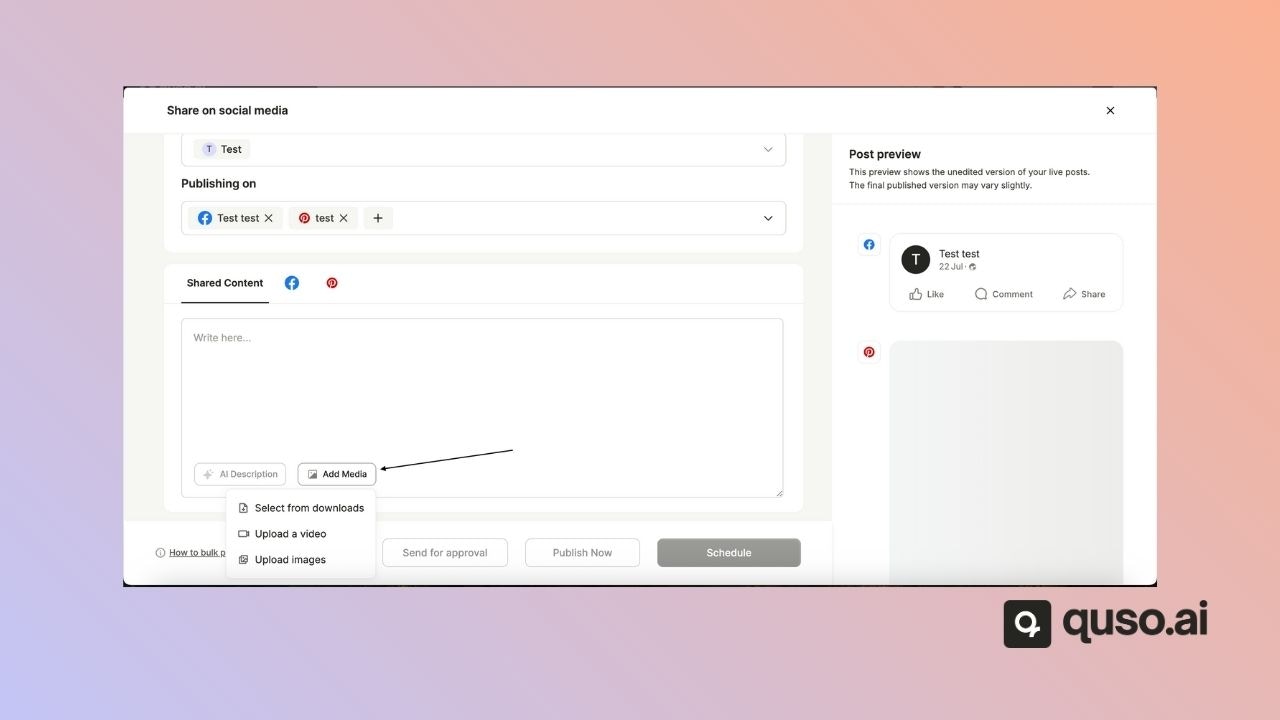
๐ŸŒ Step 4: Select Platforms & Customize

Choose which social media platforms you want to publish to.
Add your caption, hashtags, and any text for each platform.
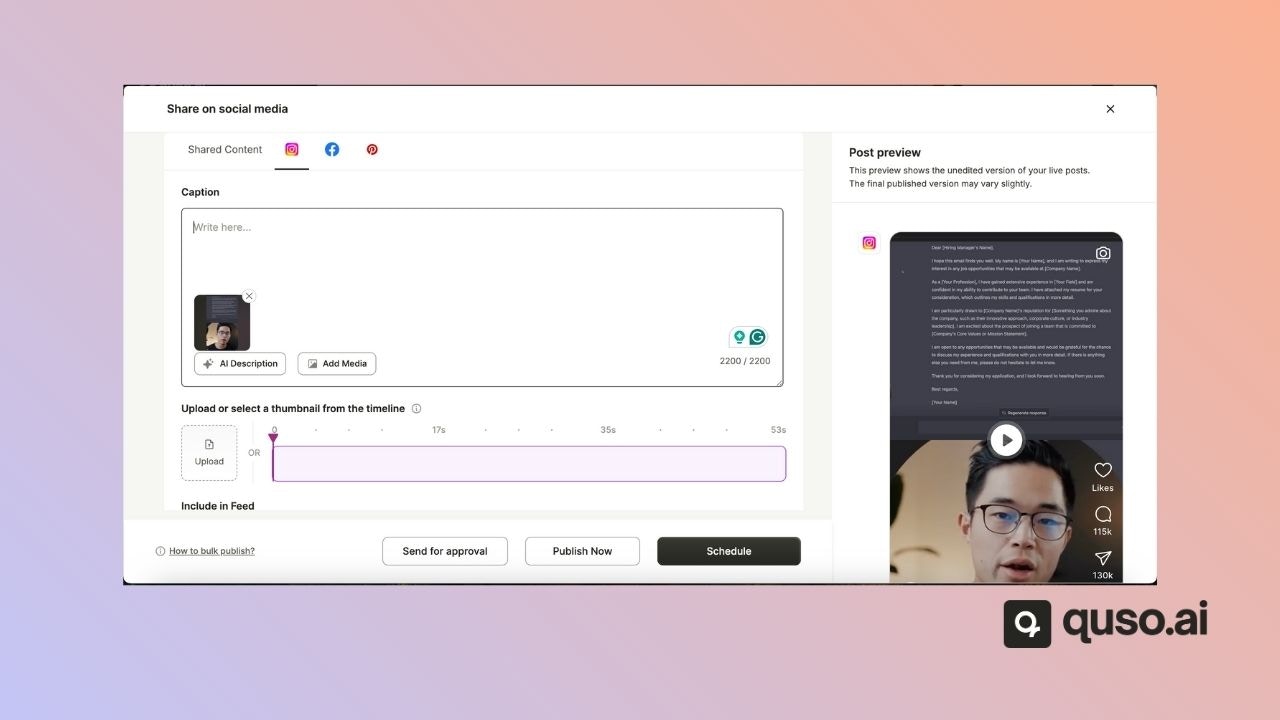
Each platform may have unique settings โ€” take a moment to explore and customize each one before posting.
Publish External Content Captions Jp

๐Ÿš€ Step 5: Schedule or Publish

Once everythingโ€™s set:
  • Click โ€œPublish Nowโ€ to post immediately
  • Or choose โ€œScheduleโ€ to set a future time

๐ŸŽ‰ Thatโ€™s it โ€” Youโ€™re Ready to Post!

With just a few clicks, you can seamlessly publish content across your social platforms without uploading to Quso.aiโ€™s media library. Whether youโ€™re scheduling in advance or posting in the moment, this streamlined workflow keeps your content moving efficiently. If you ever get stuck or have questions, our support team is just a message away. Happy posting! ๐Ÿš€