

Snapchat is available on plans that include social publishing, such as Essential and Growth. You need a public profile switched to a professional profile.
Before you start
Set up a public professional profile in Snapchat:- In Snapchat, tap your profile icon in the top-left corner.
- If you don’t have a public profile yet, create one from Public Profile.
- In your profile settings, switch to a professional profile, choose a category and confirm.
Link Snapchat
Step 1: Open Manage accounts
Go to Social Media → Posts and click Manage accounts.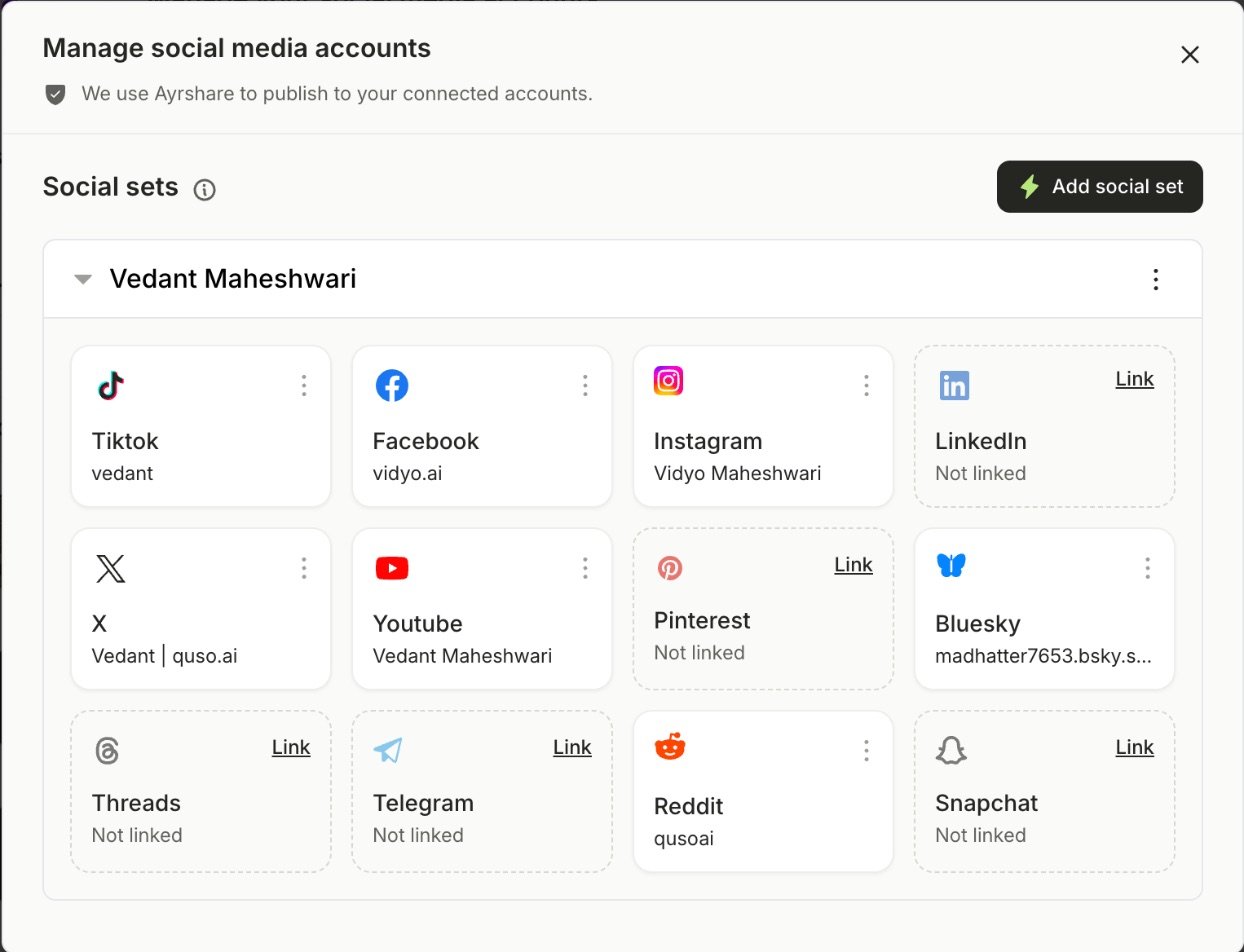
Step 2: Click Link on Snapchat
A new window opens. Log in to Snapchat if asked.Step 3: Allow access
Review the permissions and click Continue. Snapchat now appears on the Manage accounts page.Post to Snapchat
Open the Snapchat tab in the composer and choose where the post goes under Post to:- Story (default): shown on your Story for 24 hours.
- Saved Story: kept on your profile.
- Spotlight: Snapchat’s public feed. Spotlight shows only the first 160 characters of your caption.
- 1 image, or 1 vertical video between 5 and 60 seconds.
- Caption: up to 500 characters.
FAQ
I can't link my Snapchat account
I can't link my Snapchat account
Snapchat only links public professional profiles. Switch your public profile to a professional profile in Snapchat, then link again.
It says "Snapchat videos must be 5 to 60 seconds long"
It says "Snapchat videos must be 5 to 60 seconds long"
Use a clip between 5 and 60 seconds, or remove Snapchat from this post.