

Step 1: Open AI Clips
On the quso.ai home page, click Long to shorts. You can also click New project and choose Long to shorts.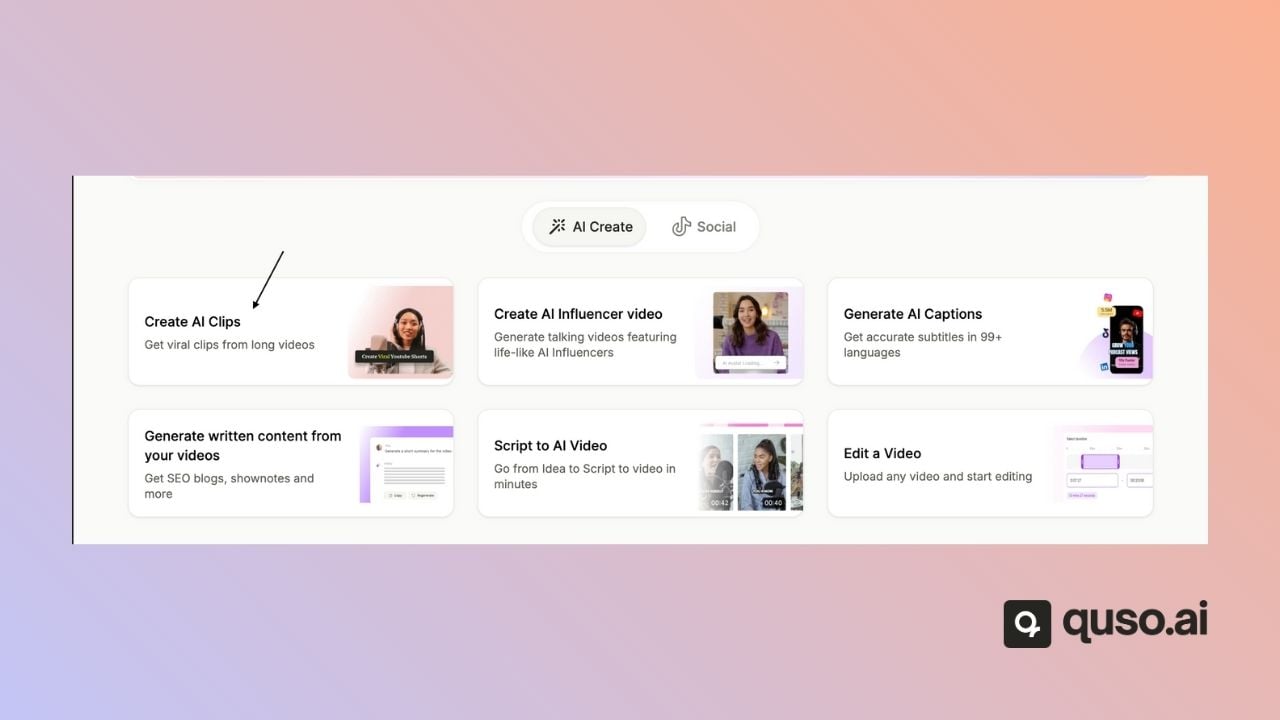
Step 2: Add your video
Upload a file (MP4, MOV or WebM), pick one from Google Drive or Box, or paste a link from YouTube, Twitch, Vimeo, Zoom, Loom, Dropbox, X, Facebook, LinkedIn or Rumble. See Video import source.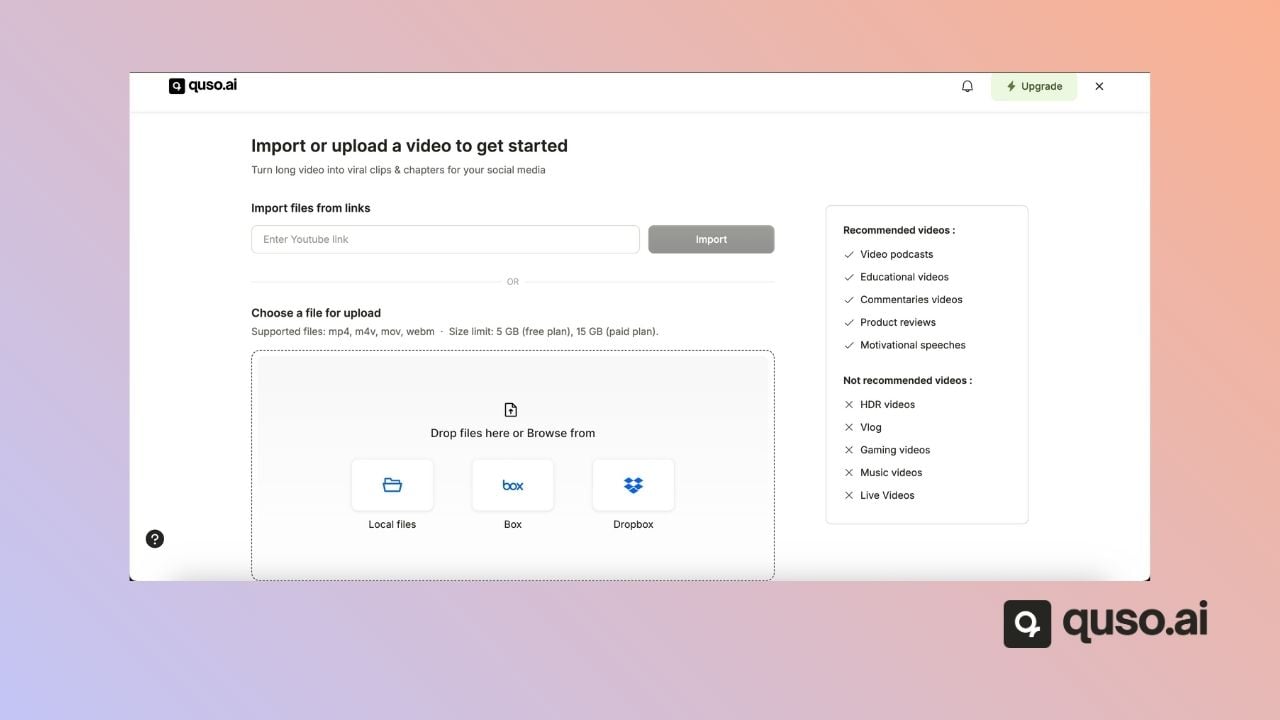
Step 3: Set your options
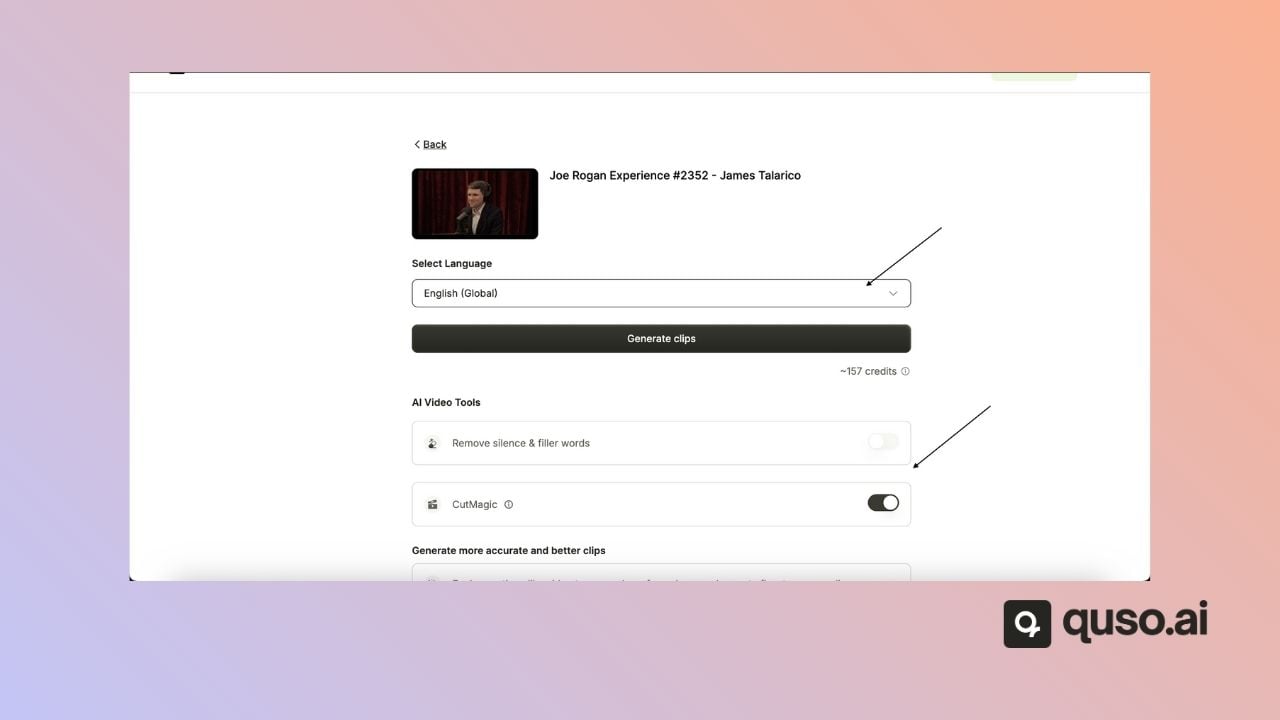
- Language: select the language spoken in the video. See Video languages supported.
- Processing timeframe: optionally trim the start and end so only part of the video is processed.
-
AI tools: switch on CutMagic, filler word removal and AI Headline.
-
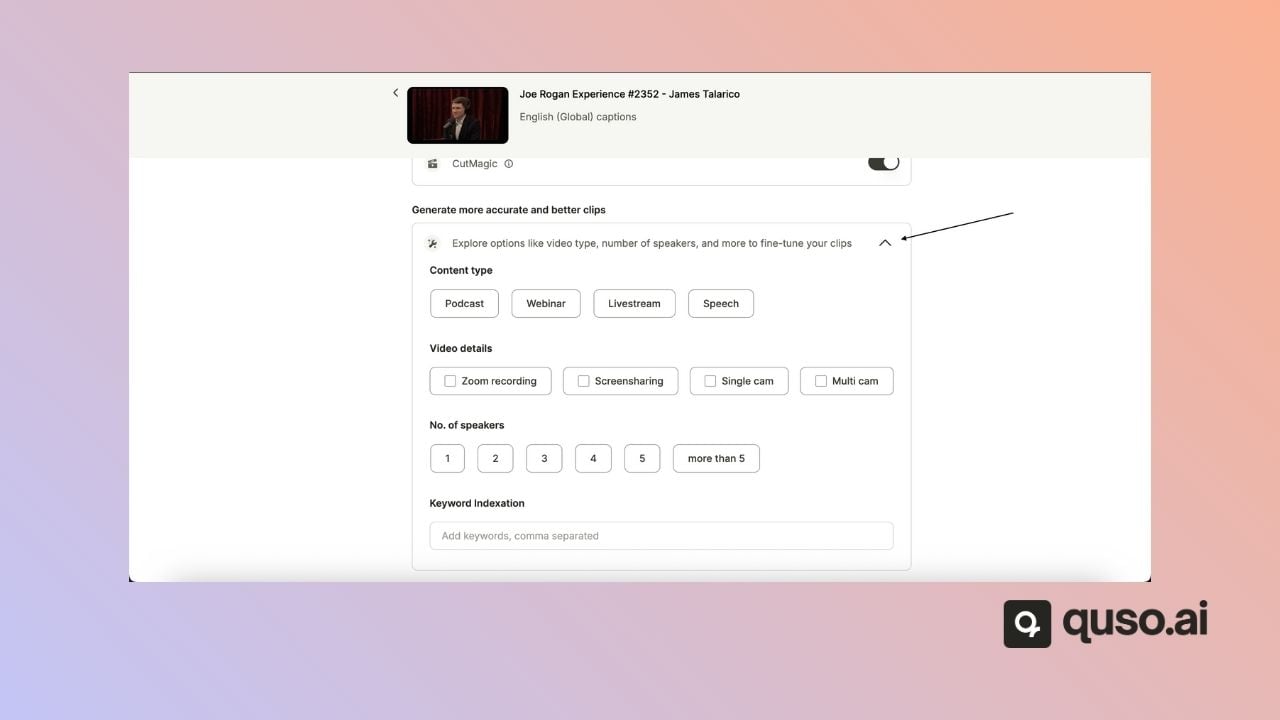
Video details (optional): tell quso.ai the content type (Podcast, Webinar, Livestream or Speech), the setup (Zoom recording, screen share, single camera or multi-camera), the number of speakers, and keywords you want clips about. These help the AI pick better moments.
Step 4: Generate your clips
Click Generate Clips. You can follow the progress, step by step, on the home page.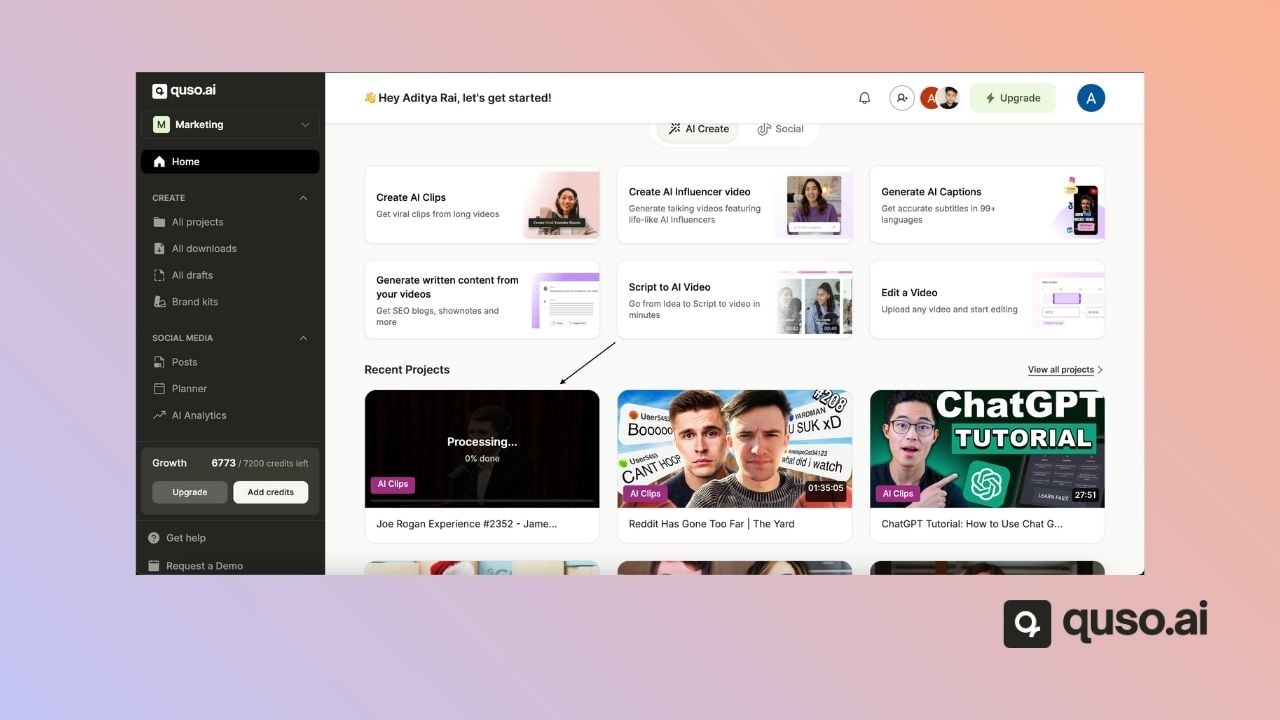
Step 5: Review, edit and publish
When processing is done, open the project to see your clips ranked by virality score. From there you can:- Edit a clip’s captions, layout and branding in the editor
- Make a custom clip the AI didn’t pick
- Download clips, or publish them to your social accounts
FAQ
How long does AI Clips take?
How long does AI Clips take?
It depends on the video’s length. You can leave the page while it works; the project shows its progress on the home page.
How many clips will I get?
How many clips will I get?
It depends on the video’s length and how much speech it has. See How many clips can I get?.
Can I choose the clip length?
Can I choose the clip length?
Not on the import screen. AI clips are usually about 20 to 65 seconds. To make a clip of any length, create a custom clip.