

Threads are available on plans that include social publishing, such as Essential and Growth.
Post a thread
Step 1: Write your text
Create a post and select your X and/or Threads account. Write your text in the X or Threads tab.Step 2: Turn on Post as a thread
Turn on Post as a thread. If your text is already over the limit, click Turn into a thread under the character count.Step 3: Number the posts (optional)
Tick Number the posts (1/3, 2/3…) to add the numbering to the end of each post.Step 4: Check the preview
The preview shows every post with its number and length, so you can see exactly how the thread will read.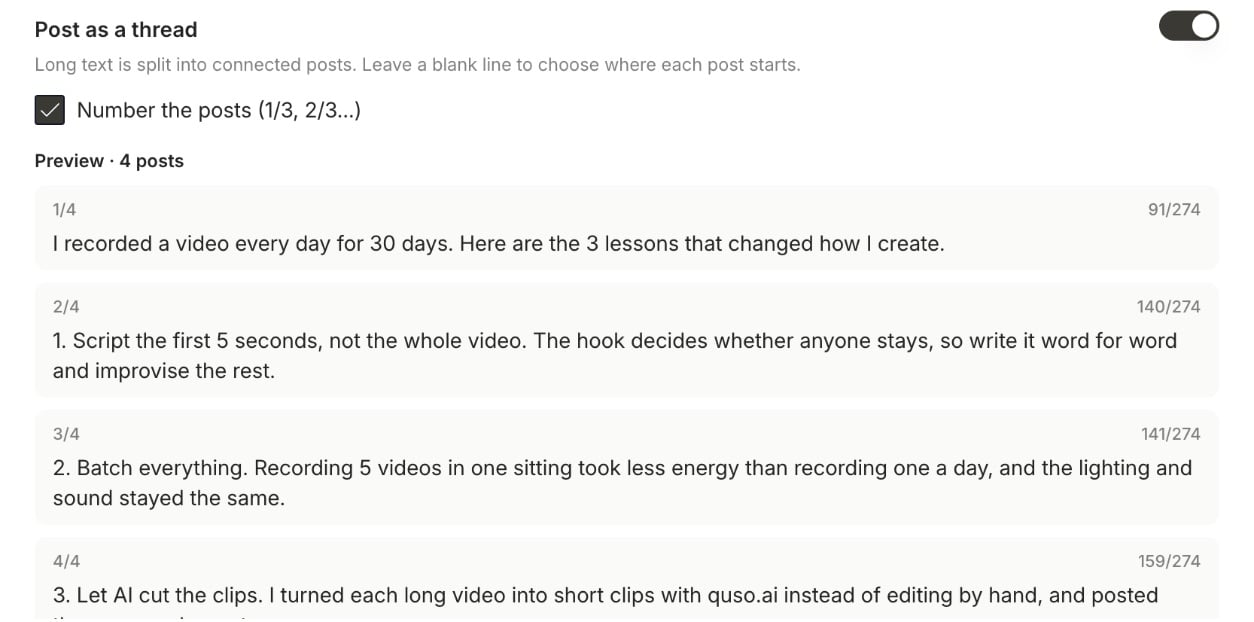
Step 5: Publish or schedule
Click Publish Now or Schedule. The posts go out in order as one connected thread.Limits
- Numbering takes a few characters from each post, so numbered posts hold slightly less text.
- On X, a link counts as 23 characters and emoji count as 2.
- Photos and video go on the first post of the thread.