

Telegram is available on plans that include social publishing, such as Essential and Growth. You need to be an admin of the channel or group.
Link Telegram
Step 1: Copy your link code
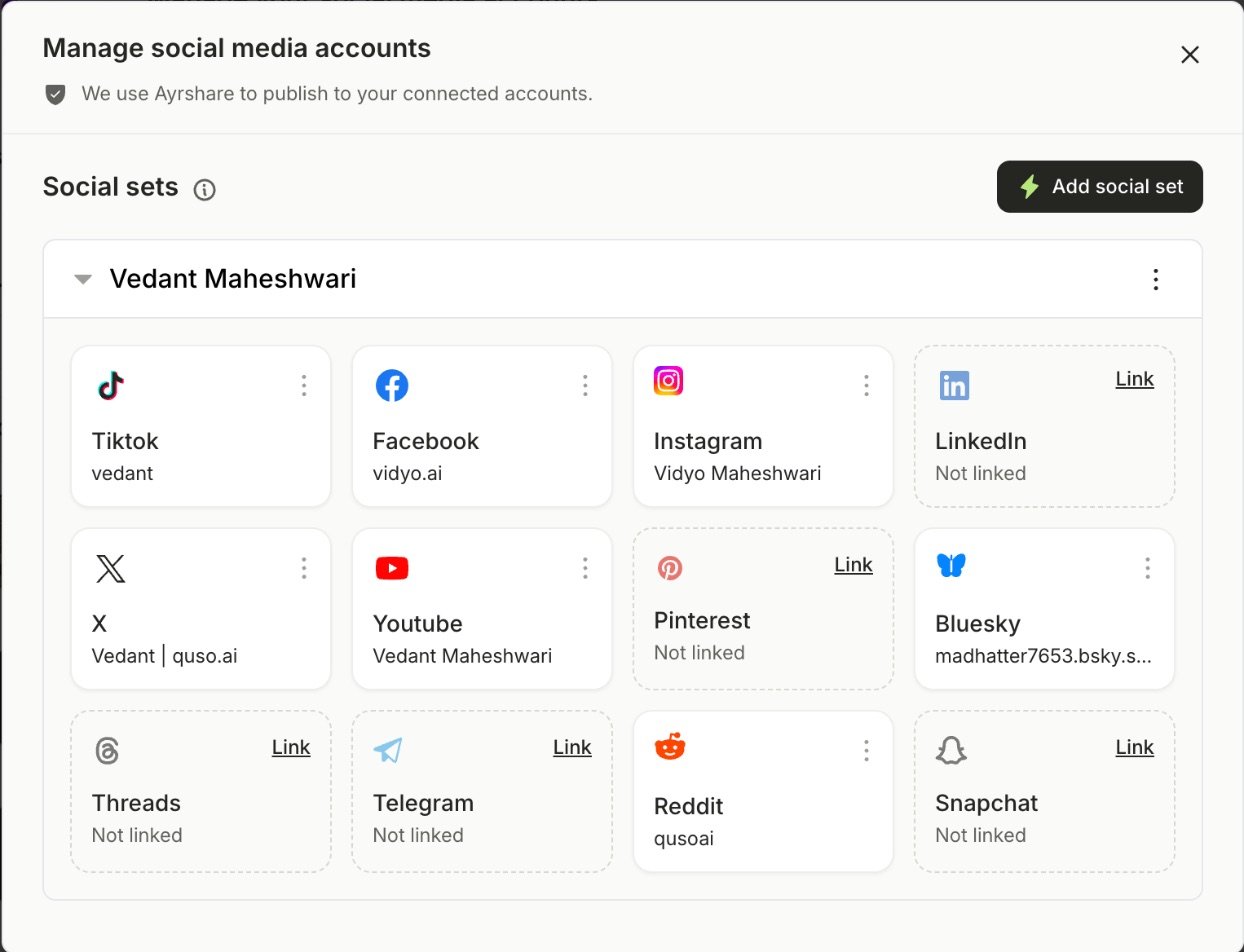
- Go to Social Media → Posts and click Manage accounts.
- Click Link on Telegram. A new window opens with a code that starts with Code:.
- Copy the whole code, including
Code:.
Step 2: Add the bot as an admin
In the Telegram app, open your channel or group and tap its name to open Info.- Channel: open Administrators → Add Admin.
- Group: tap Edit → Administrators → Add Admin. If asked, add the bot as a member first.
Step 3: Give it permissions
Turn on all permissions except the last two, so the bot can post and delete posts, then tap Done.Step 4: Send the code
Paste theCode: message into the channel or group chat and send it. A success message appears in the chat, usually within a minute and at most 5 minutes. Your channel or group now appears on the Manage accounts page.
What you can post to Telegram
- Caption: up to 1,024 characters. Text-only posts are fine.
- Media: 1 image (up to 5MB) or 1 video (up to 20MB) per post. There’s no limit on video length, only on file size.
- Posts in a channel show your channel’s name and logo. Posts in a group show as sent by the Ayrshare bot.
FAQ
I sent the code but nothing happened
I sent the code but nothing happened
Make sure the bot is an administrator, not just a member, and that it’s @AyrshareBot. Then send the code again. The success message can take up to 5 minutes.
My video was refused
My video was refused
Telegram takes videos up to 20MB. Use a shorter or smaller clip, or remove Telegram from this post.