

Threads is available on plans that include social publishing, such as Essential and Growth.
Link Threads
Step 1: Open Manage accounts
Go to Social Media → Posts and click Manage accounts.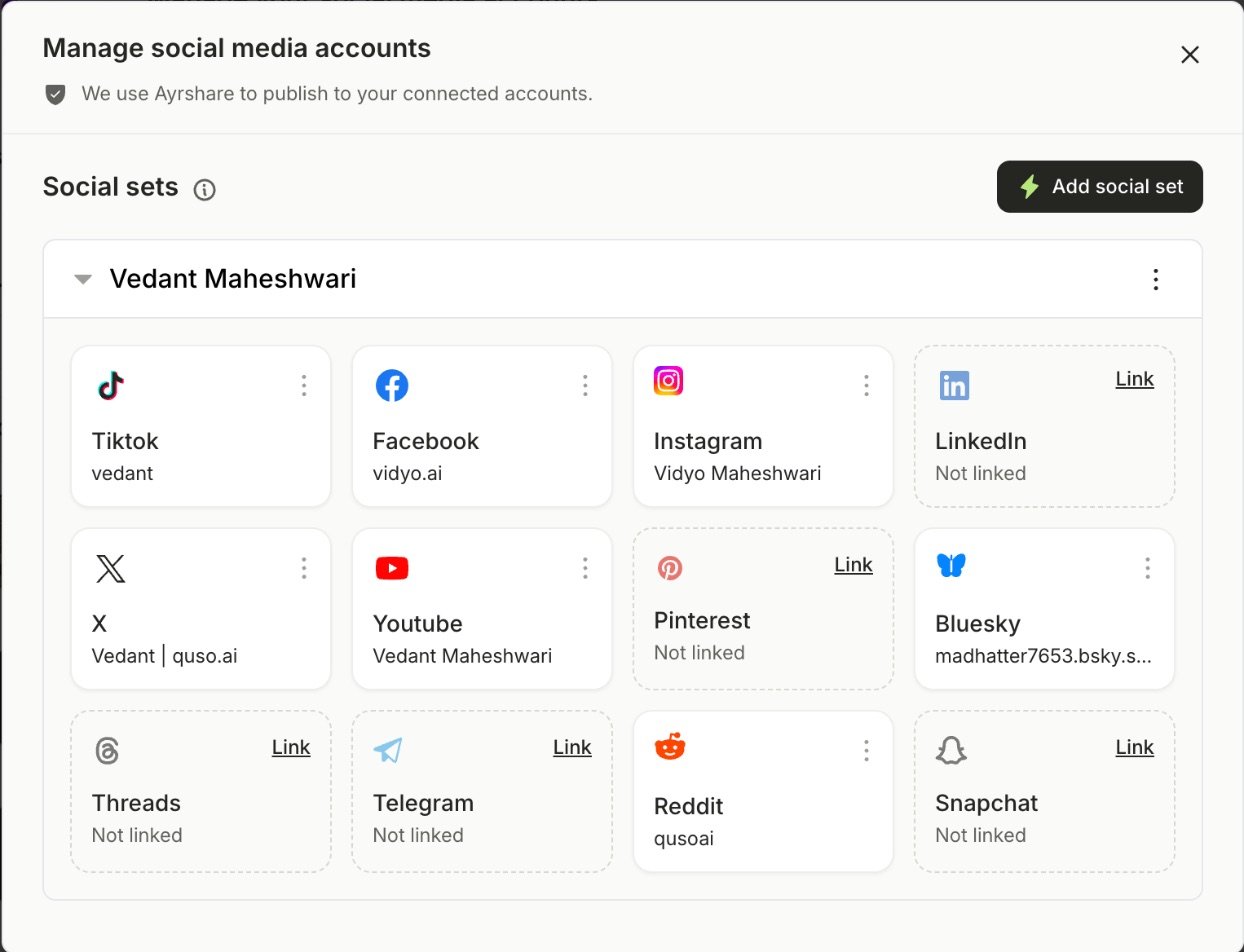
Step 2: Click Link on Threads
A new window opens.Step 3: Sign in with Instagram
Sign in with the Instagram account your Threads profile belongs to. If you’re already signed in, you’ll go straight to the next step.Step 4: Allow access
Grant all the permissions Threads asks for, then continue. Your Threads account now appears on the Manage accounts page.What you can post to Threads
- Text: up to 500 characters per post. Text-only posts are fine.
- Media: up to 10 images and videos, which can be mixed in one post.
- Video: up to 5 minutes each.
- Long text: turn on Post as a thread to split it into connected posts. See Post long text as a thread on X and Threads.